How to stop sharing a folder from OneDrive
1. Go to https://onedrive.live.com (or open OneDrive in Microsoft 365).
2. Find the file or folder you want to stop sharing.
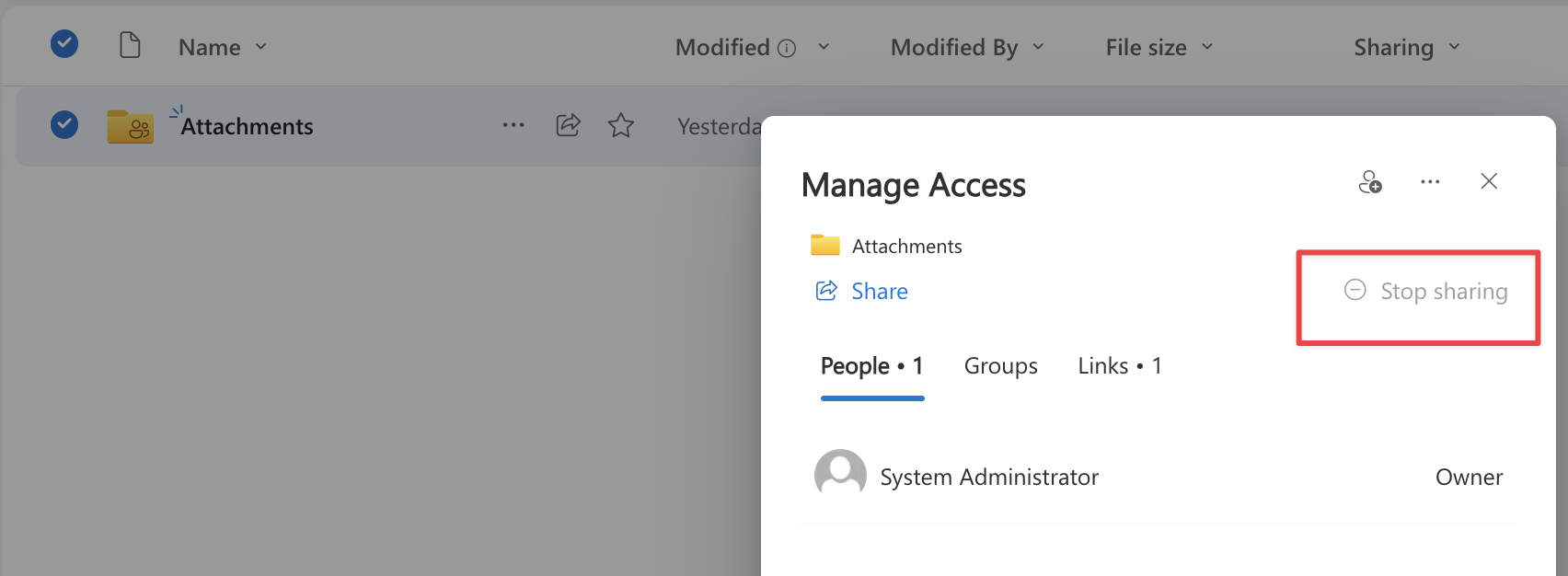
3. Right-click it and choose Manage Access (or Details > Manage Access).
4. Under Links Giving Access, click the X (Stop Sharing) or Remove link.
5. Under Direct Access, click the dropdown next to each person’s name and choose Stop Sharing (or Remove).
Related Articles
How to Share a Folder from OneDrive
1. Go to OneDrive online or open the OneDrive app on your computer. 2. Find the folder you want to share. 3. Right-click the folder (or click the three dots ...) and select Share. 4. A sharing box will appear. Here you can choose: • Who can view/edit ...How to Sync a Microsoft SharePoint Document Library to Windows File Explorer
Syncing a SharePoint document library lets you work with your files directly in File Explorer, just like you would with files on your computer. Any changes you make are automatically synced to the cloud. Step 1: Sign in to SharePoint Open your ...How to open a shared mailbox - Microsoft Outlook Desktop App
Add a shared mailbox to new Outlook After your admin has added you as a member of a shared mailbox, close and then restart new Outlook. The shared mailbox should automatically display in your Folder pane. What if it didn't work? If your admin only ...How to open a shared mailbox - Microsoft Outlook Web
Add the shared mailbox so it displays under your primary mailbox If you want to monitor the email from your primary mailbox and the shared mailbox at the same time, use this method. After you complete this task, the shared mailbox and its folders are ...How to open a shared mailbox - Microsoft Outlook Desktop Classic
After your admin has added you as a member of a shared mailbox, close and then restart Outlook. The shared mailbox should automatically appear in your Folder pane in classic Outlook. What if it didn't work? If your admin only recently added you to a ...